Listing, stock, orders and invoices in one platform
2026
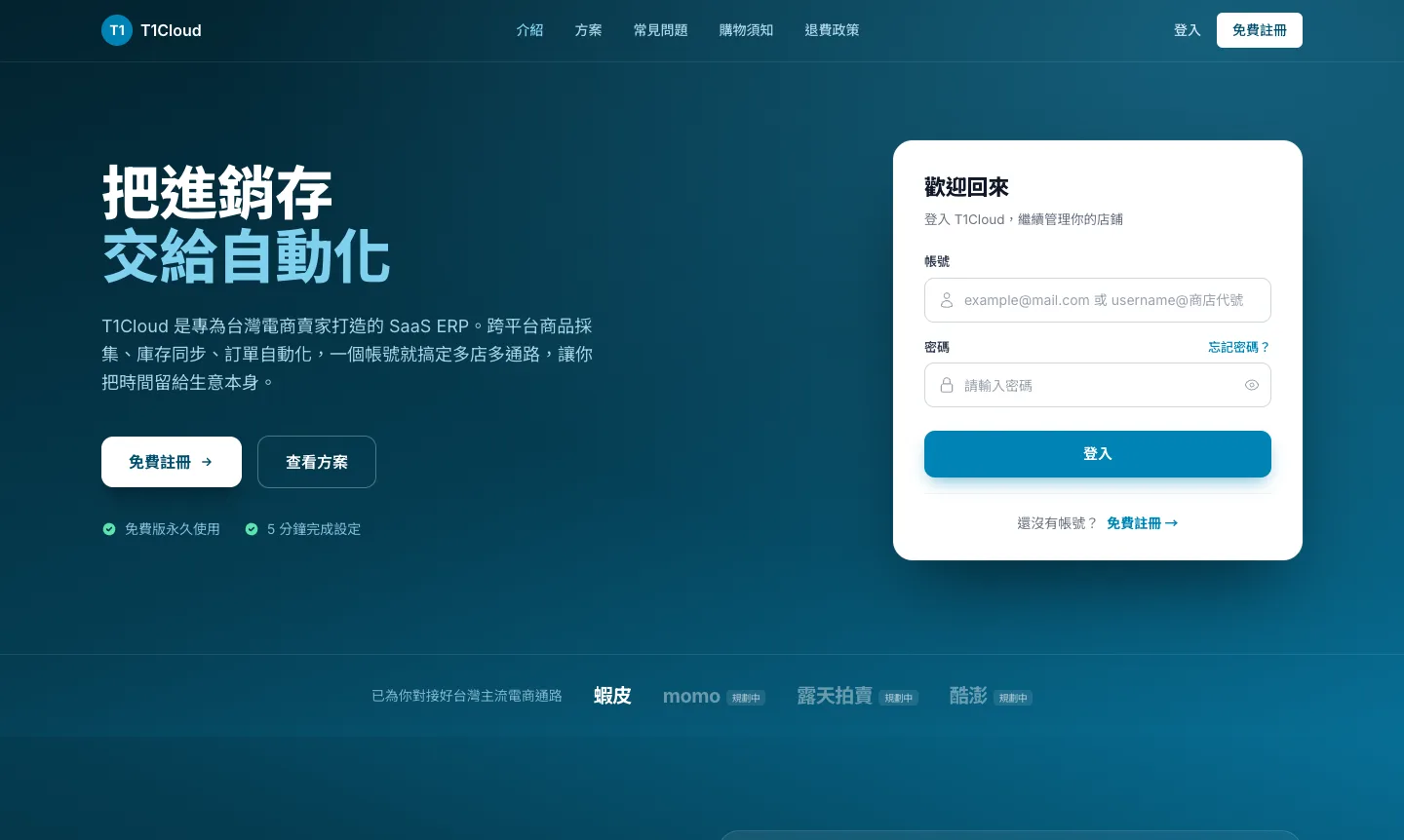
In one sentence: a subscription multi-channel e-commerce SaaS ERP that puts product listing, SKU mapping, stock sync, orders and carrier labels, and business reports into one account, extended by an e-invoice and cashback app. Built on a Laravel + GraphQL multi-tenant architecture by CS Studio.
This is a SaaS ERP built for Taiwanese online sellers. A seller runs shops on several marketplaces, each with its own naming, pricing and stock; goods are often sourced overseas and must be localized before listing; and reconciling, adjusting stock and printing carrier labels eats most of the day. We moved that repetitive work into one account, delivered as a subscription cloud service.
The product starts at how items get listed: sourced items arrive in staging, are claimed into several shops as drafts, converted and priced, then published in batches. Once published, the shop SKU is mapped to an internal SKU, and from then on orders, stock, purchasing and reports all count by internal SKU, so a product is counted once across channels.
An incoming order first reserves stock, the seller confirms shipment, the carrier label is fetched automatically, and stock is deducted and revenue booked only after handover. The seller does just two things that need human judgment: confirm the order and pick and pack.
The same product line also includes an e-invoice app that brings consumers carrier invoices, lottery checks, referral cashback and payouts together, sharing design language and backend capabilities with the ERP.
The same product is listed on each marketplace with its own naming and pricing, and it should be. The back office matches them to one product: stock is deducted from one pool, purchasing counts one line, and marketing reports show one trend.
Screens are taken from the product site; all content is sample data.
Each product has a safety level. When stock drops below it the list flags the row, and you can jump straight to purchasing instead of discovering a stock-out at the next count.
Screens are taken from the product site; all content is sample data.
Orders from every marketplace are handled in one place. Stock is reserved the moment an order arrives, so you cannot oversell. Schedule a shipment, the carrier label comes back automatically, and you just print, stick and pack.
Screens are taken from the product site; all content is sample data.
Revenue, orders, basket size, channel contribution and top sellers are already computed, so nobody has to export to Excel and build a pivot table.
Screens are taken from the product site; all content is sample data.
The ERP serves sellers; the invoice app serves buyers. Once a consumer links a phone barcode carrier, every e-invoice is filed automatically and checked against each draw. Shopping through the app to a marketplace earns cashback that can be paid out to a bank account once a threshold is reached. It is currently in phase one: a clickable prototype on mock data, running on both Android and iOS, so screens and flows can be settled before real services are connected.
Items from overseas sources land in a staging area with the original title, original-currency price and source images. Claimed and unclaimed items are kept apart so the same goods are not processed twice.
Select N items and M shops to create N x M independent drafts. Each shop can have its own price, description and category, and duplicates can be copied or skipped.
Simplified-to-Traditional conversion with Taiwan terminology, yuan-to-NTD pricing by exchange rate and margin, and replacement images for source graphics so imported goods can be listed compliantly.
Drafts move through pending and publishing to live. On failure the platform error is written back to the draft, so the seller fixes it and retries in one click instead of redoing the batch.
Shopee, momo, Ruten and Coupang share one interface and one data model. Platform differences stay in the adapter, so a new marketplace does not touch the main flow.
Each shop SKU maps to one internal SKU: identical codes match automatically, moved items inherit the mapping from the source shop, and the rest are matched or generated by hand.
On-hand and reserved quantities are tracked per internal SKU. A sale on one channel updates what every other channel displays, instead of each shop counting on its own.
Orders are handled centrally with reserve-then-deduct. Scheduling a shipment fetches the tracking number and waybill, and stock is deducted and revenue booked only after handover.
Multiple warehouses, zones and bins, each numbered. Every movement and stocktake is recorded so picking never relies on memory.
Revenue, basket size, channel contribution and top sellers in real time, with ad performance, coupons and campaigns managed in one place.
One account is one store, with data isolated per tenant. Plans, trials and renewals are handled by the control layer, and sellers sign up on their own.
Carrier invoice sync, lottery checking, referral cashback and payouts in one app: the consumer-facing extension of the same product line.
Sourced items go into staging. The seller picks items and target shops to claim them, and each shop gets its own draft. After script conversion, FX pricing and manual edits the drafts are published in batches; once the platform returns an item ID the listing is live, SKU auto-matching runs, and the item connects to stock.
Claiming multiplies: 16 items into 2 shops creates 32 drafts, because each shop may need a different price, description and category.
Every draft is in exactly one of five states. Failure is not a dead end: the platform error is written back to the draft, and the seller can fix it and retry in batch.
Once an order arrives from a marketplace nobody re-keys it: the system matches the shop SKU and reserves the shared stock, the seller confirms and schedules shipment, and the system fetches the tracking number from the carrier. After the seller picks and packs and the carrier collects, stock and revenue are written back.
Reserving happens before the seller confirms and deducting happens after handover. Splitting the two keeps stock from being oversold and keeps the books intact when an order is cancelled.
Importing an order reserves available stock so two channels cannot sell the last unit. The actual deduction waits for carrier handover, so a cancellation or return only releases the reservation and never touches book stock.
Marketplaces name and price products differently. Mapping them all to one internal SKU lets stock, purchasing and reports roll up across channels, which makes it the one layer that must never be wrong.
Import, mapping, tracking numbers and write-back are automatic. Sellers handle only what needs a person: confirming orders and picking and packing.
Items flow left to right from staging to draft to live listing. After publishing, the shop SKU is mapped to an internal SKU, which in turn connects to warehouse bins and order lines. Listing and fulfilment therefore share one source of truth for stock.
After the member logs in with a phone barcode, invoices sync from the tax bureau carrier data, are listed by period, and are checked after each draw. A second line handles cashback: paste a product link or scan a QR to order on the marketplace, the confirmed order is credited, and the member requests a payout once enough has accumulated.
Invoices and cashback are two independent data lines that only meet in the account page: one decides which invoices the member sees, the other how much can be paid out.
The product is split into four independently deployed services: the control layer (marketing site, sign-up, plans, subscriptions and the operator console), the ERP business API (products, orders, stock as a pure API), the ERP front end (the seller workspace after login) and the e-invoice app. Each evolves on its own, so changing plan pricing never touches business logic.
The control layer and the business layer share one database server but use two separate schemas, each owning its own migrations to avoid table-name clashes and unclear ownership. Business tables all carry a tenant identifier, and a global scope adds the tenant condition on read and fills it on write. Developers neither need nor should pass it by hand, which removes the failure mode of a forgotten filter reading across tenants.
The control layer handles login and issues a JWT whose payload carries the tenant ID. The business API verifies it with a shared key and binds the tenant to the request context for the data layer. Login and data services stay separate without a second account store to keep in sync.
The backend has one product and shop data model; all platform differences sit in adapter classes. Each adapter implements the same interface: publish, update, sync, delist, fetch categories, get authorization URL and exchange authorization code. The draft and live-listing pages are one front-end component switched by a platform parameter, and platform-only fields live in a flexible field so shared tables are not reshaped for one marketplace. Adding a fifth platform means one adapter, one authorization flow and a few extra fields.
Shopee uses OAuth 2.0 and a tenant can link several shops, grouped into shop groups; other marketplaces are mostly single-shop and use partner keys. Access and refresh credentials are always stored in encrypted columns. The authorization callback lives in the business API rather than the control layer, because publishing and stock reads use the credentials constantly and a cross-service hop would add latency and coupling.
A staged item keeps the source text, original-currency price, source images and the sourcing account. Claiming expands it by items times shops into drafts that are each edited independently, so staging and drafts form a many-to-many relationship. Draft states move only in order, and a failed publish writes its error back to the draft so retries have something to act on.
Text goes through OpenCC for Simplified-to-Traditional conversion, then a hand-maintained Taiwan terminology table (for example mainland usage replaced by the local word for video, quality and coupon). Prices are converted with a tenant-level exchange rate and default margin that can be overridden. For text inside images, the short-term answer is uploading a replacement image; the longer-term plan is OCR, conversion and redraw. This layer decides whether imported goods can be listed compliantly, and it is where most of the product value sits.
Matching runs when a publish returns the shop SKU, using two rules: a shop SKU identical to an existing internal SKU binds automatically, and an item moved from shop A to shop B inherits A mapping. Anything else is matched by hand or given a newly generated internal SKU. Internal SKUs record both on-hand and reserved quantities, which the inventory module uses for pooling, sync and replenishment alerts.
Products, orders and stock are served over GraphQL, so the front end asks for exactly the fields it needs and lists and details share one set of types. The Laravel backend is split into modules, with each channel import and mapping logic in its own service.
Plans, tenants, subscriptions and payment records each have their own tables. A seller signs up, a tenant is created and a trial begins; plans can be one-off, monthly or yearly. Payments use ECPay, and the subscription is updated only after the payment callback succeeds, all inside a database transaction. The payment integration is still under active development.
The console is built with Filament. The operator manages plans, tenants, subscriptions and payment records, and payment records are read-only so reconciliation evidence cannot be edited by hand.
The app uses Flutter with Riverpod, and each feature is split into model, data access, application logic and presentation. The data layer depends only on an interface and currently runs an in-memory mock that really supports create, update and delete, with simulated latency and a switch to fail the next call so loading and error screens can be seen. A build parameter later swaps in a REST API or Firebase implementation, and the screens and business logic do not need rewriting. Routing uses go_router for the five bottom tabs and sign-in redirects, a developer panel switches between new and returning account data, and every empty state offers a next step.
Off-the-shelf ERPs usually cover the common channels and a fixed workflow. Online sellers struggle with the details: one product carries different names and prices on each marketplace yet shares a single stock pool; overseas-sourced goods must be localized before listing; shipping labels come from several carriers. A custom or SaaS build turns these mapping rules into first-class features instead of leaving staff to reconcile them by hand.
There is one data model. Platform differences live in a platform adapter layer: each marketplace implements the same interface (publish, update, sync, delist, fetch categories, authorize), and the draft and live-listing pages are the same component fed a different platform parameter. Adding a platform means writing one adapter and a few platform-specific fields, not rewriting half the code.
Every business table carries a tenant identifier, and a global scope at the data-access layer adds the tenant condition automatically. The tenant comes from the JWT issued at login, so queries and inserts never rely on developers passing it by hand, which removes the risk of a forgotten filter leaking data across tenants. Platform credentials for each shop are stored in encrypted columns, never in plain text.
It is in phase one: a fully clickable prototype on mock data that runs on Android and iOS, covering carrier login, invoice lists and lottery checks, cashback, payouts and membership tiers, so screens and flows can be settled first. The data layer has switch points for a REST API and Firebase, so the UI and business logic do not need rewriting when real services are connected.
This is an iterative product. We first stand up the control layer (subscriptions, payments, tenants) and the business API, then extend by channel and module. A usable core is typically live for trials in 3 to 4 months, followed by rolling delivery depending on the number of channels, localization tooling and reports.
CONTACT US
Whether it is an ERP, multi-marketplace integration, an invoice or membership app, or a subscription SaaS, we can build it around you.
Contact Us